

Stage 1
Project setup
Define the job, scope, stages, ownership, client context and records the project will need.
Evidence
Project details, roles, initial documents and agreed delivery stages.
Plan contractor projects, coordinate field work, control RAMS or JHA records, track documents and actions, then build reports and handover evidence.
For contractors comparing project management software and needing schedules, site updates, controls, documents and commercial context connected to the same project record.
Operating system
Operating system
Set up the project, organise work, assign teams and keep programme context close to the live job record.
Connect RAMS or JHA records, permits, toolbox talks, inspections, actions and site evidence to delivery.
Keep drawings, revisions, photos, stock or asset evidence and O&M information attached as work progresses.
Review progress, open actions, missing records and reporting needs before the project reaches handover.
Plan contractor projects, coordinate field work, control RAMS or JHA records, track documents and actions, then build reports and handover evidence.
For contractors comparing project management software and needing schedules, site updates, controls, documents and commercial context connected to the same project record.
Project delivery lifecycle: Define scope and stages -> Plan teams and readiness -> Coordinate site delivery.
Set up the project, organise work, assign teams and keep programme context close to the live job record.
Programmes and task lists do not show whether people, safety controls, documents or materials are ready.
Construction project management software connects the plan for a project with the people, controls, documents, field updates and evidence used to deliver it. For contractors, the practical goal is not only to schedule tasks: it is to keep project decisions and the site record aligned from setup through reporting and handover.
Stage 1
Define the job, scope, stages, ownership, client context and records the project will need.
Evidence
Project details, roles, initial documents and agreed delivery stages.
Stage 2
Organise people, subcontractors, RAMS or JHA controls, permits, documents, stock and assets before work starts.
Evidence
Assignments, approved controls, current documents and readiness records.
Stage 3
Coordinate the work and capture inspections, photos, progress updates, actions, incidents and daily records from site.
Evidence
Time-stamped field updates, checks, evidence and action ownership.
Stage 4
Review planned work against progress, open actions, missing records and connected commercial information.
Evidence
Management views, status records, reports and traceable follow-up actions.
Stage 5
Turn the project history into client reports, completion evidence and organised O&M or handover records.
Evidence
Client-ready reports, completion records and handover information linked to the job.
See the main module, supporting records and wider operating context for this workflow in Zektrx.
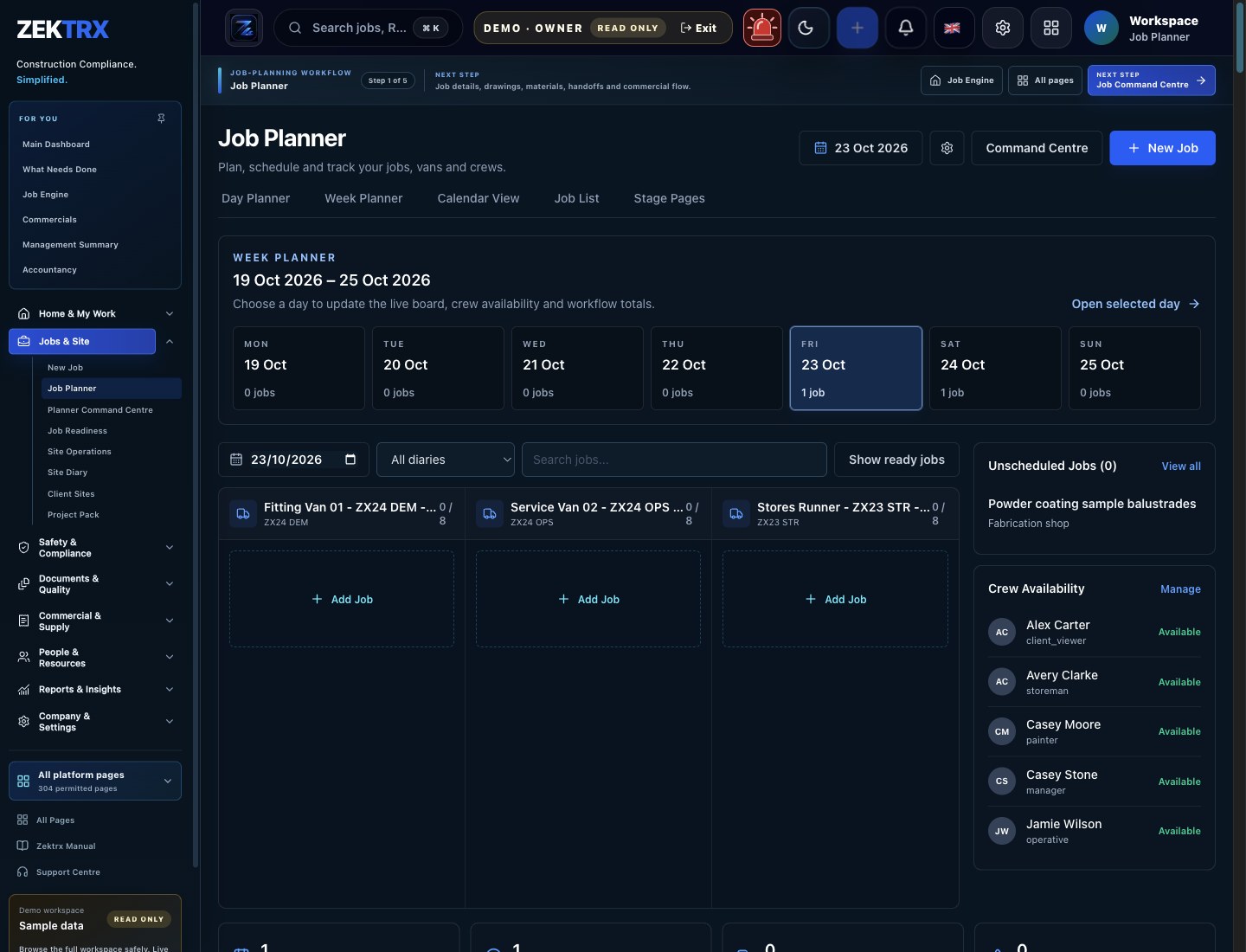
Planner
Open the screen that carries this workflow so the page promise has a concrete product home.
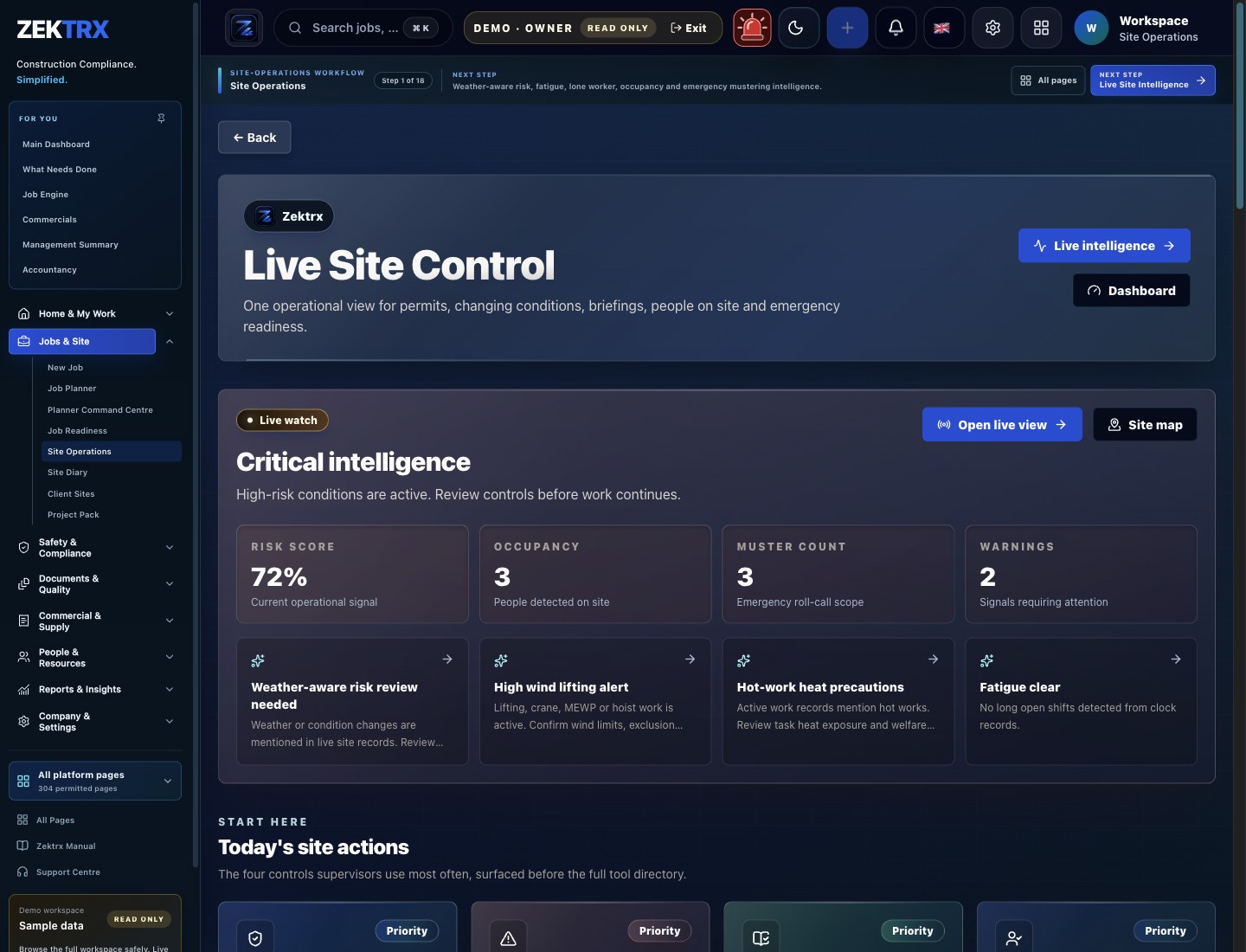
Site Ops
Tie the related records, approvals and evidence back to the same operating context.
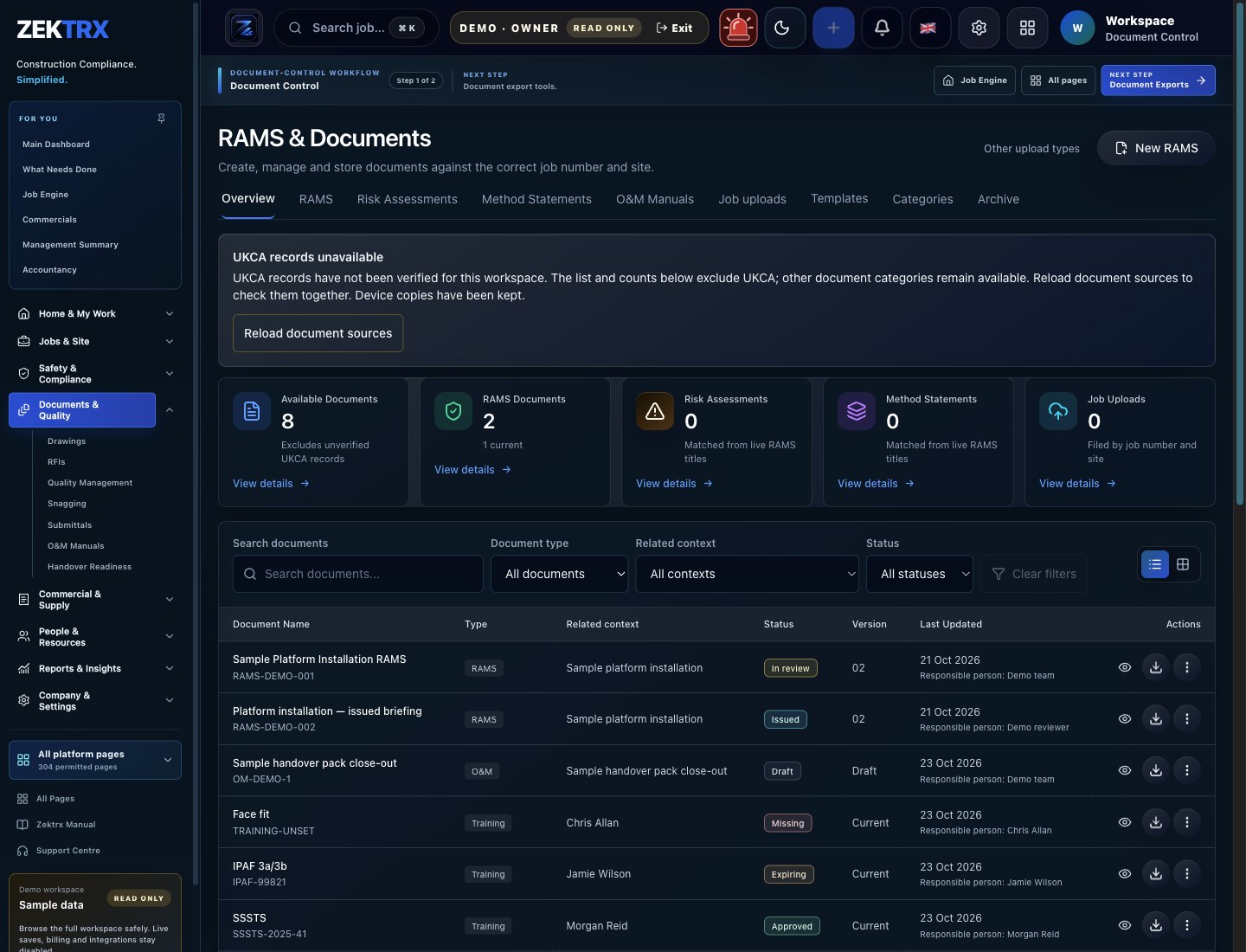
Documents
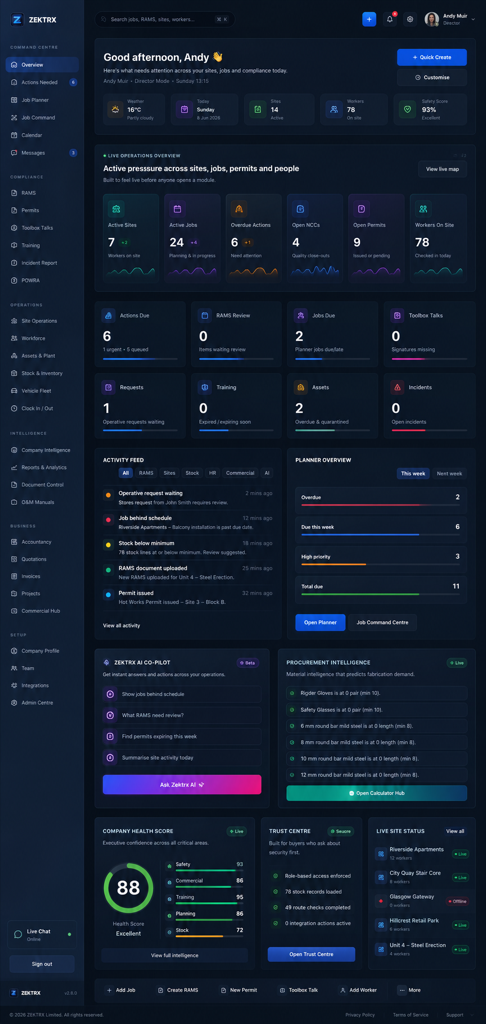
Connect the module to reporting, dashboards and the wider contractor operating system.
Review the main product area, the steps involved and the checks that support the work, then continue to the most relevant Zektrx capability.
Product area
Zektrx contractor job planner preview
Workflow
Project delivery lifecycle
Checks included
One project record from setup to handover
Explore next
Continue into the connected workflow path.
Keep the same operating thread running across site evidence, office decisions, stock movement and handover records, so every team sees the context behind the next action.

Site planning
Give teams a clear route from job setup, RAMS and documents into the work happening on site.
Connected workflow
Define scope and stages

Compliance review
Keep evidence, checks and sign-offs close to the records your office needs to audit.
Connected workflow
Plan teams and readiness
Materials control
Connect stock, assets and purchase evidence with the jobs that depend on them.
Connected workflow
Coordinate site delivery
A useful project view should make delivery gaps visible while the team can still act, with every signal traceable to the underlying project record.
Check whether expected stages have matching site updates and evidence.
Identify missing people, controls, documents, permits, stock or assets before the task starts.
See the owner, context and follow-up needed instead of losing actions in messages.
Confirm teams can reach the current project information and keep revisions attached to the record.
Review which inspections, photos, reports or completion records are still missing.
Build the close-out view while work is live rather than discovering gaps at project end.
Buyer Checklist
Check 1
Can the demo move from setup and planning through field delivery, reporting and handover without recreating the job?
Check 2
Can supervisors and operatives find the right context and add usable evidence without office re-entry?
Check 3
Can managers see readiness, open actions, document status and missing evidence across live projects?
Check 4
Does the platform connect RAMS or JHA records, permits, inspections, documents, stock and handover to delivery?
Check 5
Can clients, subcontractors and internal teams see the project information relevant to their role?
Check 6
Can the team start with one representative project and measure record completeness, reporting time and user adoption?
Programmes and task lists do not show whether people, safety controls, documents or materials are ready.
Site progress, photos, inspections and actions are reported separately from the project plan.
Managers cannot see which projects have open controls or missing evidence without chasing supervisors.
Client reports and handover packs are rebuilt from folders after delivery instead of growing with the project.
Step 1
Step 2
Step 3
Step 4
Step 5
RAMS, drawings, revisions, manufacturing planning, quality records and O&M handover evidence.
Permits, isolations, POWRA checks, toolbox talks, certificates, photos and completion reports.
Site fitting plans, installation checks, product data, snagging records and client handover packs.
Trade-specific RAMS prompts, inspection evidence, permits, site reports and operative briefings.
Explore the related Zektrx workflows that connect this process with the wider platform.
Broad hub for compliance, site operations, documents, stock and commercial workflows.
Parent hub for trade businesses connecting jobs, evidence, site teams and admin.
Checklists and templates for RAMS, COSHH, permits, inductions and handover.
Construction project management software connects project planning with the teams, controls, documents, site updates, actions, reports and handover records used to deliver construction work.
Teams create a shared project record, organise stages and responsibilities, connect readiness information, capture field progress and evidence, then use the same history for project control, reporting and handover.
It can bring planned work, live field updates, open actions, document status and missing evidence into connected project views. Visibility still depends on teams keeping the underlying records current.
Walk through one representative project from setup to handover. Test field capture, project controls, construction-specific records, permissions, reporting and how easily the team can adopt the workflow.
Project and office teams use it to plan and control the record; supervisors and field teams use it for delivery updates and evidence; managers use it to review progress and gaps; clients and subcontractors can use relevant shared views where permissions allow.
Yes. A smaller contractor can start with one project workflow, such as planning, site reporting or document and handover control, then connect more records once the first process is used consistently.
Zektrx supports job planning, stages, assignments, readiness checks, actions and project records. Teams should confirm that its planning depth matches the scheduling and dependency detail required for their projects.